In short
- Your own business information is fine. Customers’ and staff’s personal details are not.
- Remove names and details before you paste anything in, and switch off training on your conversations.
- If AI handles customer data as part of how you work, your privacy notice and contracts need to cover it.
Why it matters
When you type into ChatGPT or a similar tool, your words are sent to the company that runs it and may be kept for a while. On many free and personal plans, conversations can also be used to train future versions of the AI unless you switch that off.
Under UK data protection law, you are responsible for the personal information your customers and staff trust you with. Pasting it into an AI tool means sharing it with another company. That needs a good reason, people need to be told, and it needs to be kept secure. With a free tool and no business agreement in place, it is hard to tick those boxes.
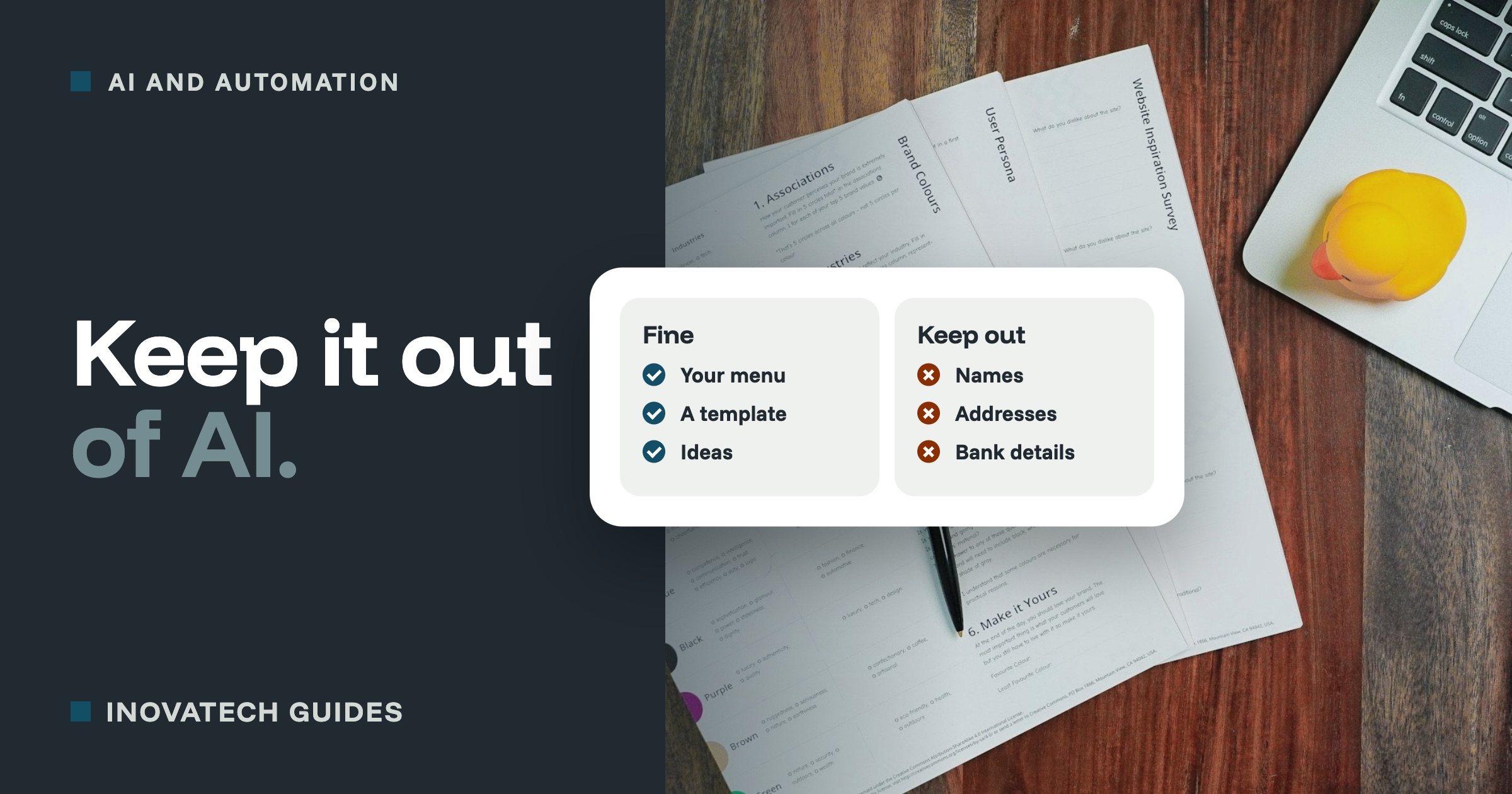
Fine to paste in
- Your own public information: your menu, services, opening hours, website text.
- Your own drafts, with names and personal details taken out.
- General questions: “How do I word a cancellation policy?”
- Made-up or anonymous examples: “A customer wants a refund after the deadline”.
- Blank templates, such as a booking form or a checklist you want improved.
Keep out
- Anything that identifies a customer: names with email addresses, phone numbers, home addresses or booking details.
- Payment details, passwords and login codes. Never, in any tool.
- Sensitive information, such as health conditions, dietary needs linked to a name, details about children, or anything about religion or ethnicity. The law gives this extra protection.
- Staff matters: sickness, disciplinary issues, pay, or performance notes about a named person.
- Whole email threads or customer spreadsheets. They almost always contain more than you think.
- Other people’s confidential information, such as a client’s documents or a contract that says it is confidential.
How to still get the help you need
- Swap names for labels.“[Customer] booked [the cottage] for [dates] and wants to cancel” gets you the same quality of answer as the real details.
- Describe instead of pasting. Summarise a long email thread in two sentences, rather than pasting the lot.
- Put the real details back in yourself, after the AI has done the drafting.
- Use a business plan for regular work. Business versions of ChatGPT, Microsoft Copilot and Google Gemini do not use your conversations for training by default, and come with data protection terms. They are worth it if AI becomes part of how you handle customer work.
Settings worth changing today
- ChatGPT:open Settings, then Data controls, and switch off “Improve the model for everyone”. For a one-off sensitive question, use a Temporary Chat, which is not saved to your history or used for training.
- Google Gemini and Microsoft Copilot have similar options in their privacy or activity settings.
- Switch on two-step verification for your AI accounts too. Your chat history is worth protecting.
Menu names change from time to time. If you cannot find a setting, search the tool’s help pages for “data controls” or “training”.
What UK data protection law expects
If AI is part of how you deal with customers, for example a chatbot on your website, AI-written replies to enquiries, or AI notes of calls:
- Say so in your privacy notice: what the AI is used for, and which company provides it.
- Have an agreement with the provider (a data processing agreement) covering how they handle your customers’ data. Business plans usually include one.
- Keep a person in charge of decisions. Do not let AI alone decide things that matter to people, such as refusing a booking or a job application. The law has specific rules about decisions made entirely automatically.
- Check it is accurate. If AI summarises or records something about a customer, make sure it is right.
- If something goes wrong, such as customer details pasted somewhere they should not be, treat it as a possible data breach. Note what happened, and if it is likely to put people at risk, report it to the ICO within 72 hours.
The ICO, the UK’s data protection regulator, has free guidance on AI and data protection at ico.org.uk. This guide is practical advice, not legal advice.
A simple AI rule for your business
If anyone else helps in your business, agree a few rules like these and pin them up:
- Use AI for drafts and ideas, and check everything before it is sent or published.
- No customer or staff names, contact details, payment details or passwords in AI tools.
- Use the business account, not a personal one, for business work.
- If in doubt, leave it out, and ask.
Want to use AI properly, without the worry? Our AI solutions include choosing the right tools, setting them up with sensible privacy settings, and a short session for you and your team. For ideas on what to use it for, see 10 ways to use ChatGPT in a small business.